


Spectrum - Navigating to Logging-in to & Employee Kiosk Payroll
Last updated: Oct 05, 2026
161
views

First time Trimble – (Viewpoint) Spectrum Sign on instructions for new hires.
- Follow or copy and paste the link: https://oliverfps.dexterchaney.com/
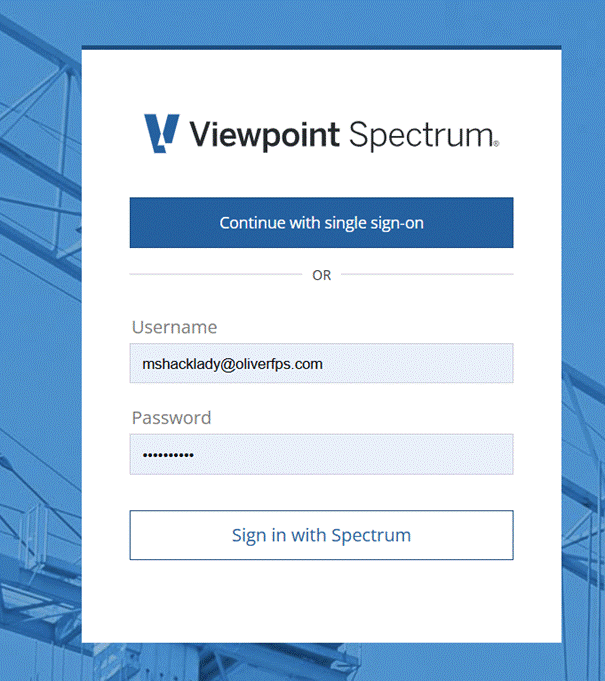
- Click Continue with single sign on:
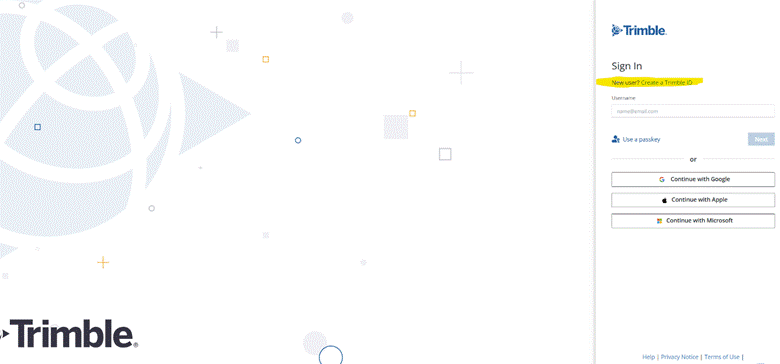
- The next screen looks like this. Click “New user? Create a Trimble ID”
The system will prompt you through the rest of the set up.
- Please make your username your Oliver email
- Choose your own password
- You will receive a verification email for ID verification.
- Follow any additional prompts if applicable.
You are now ready to use Spectrum!
Please remember to sign out when you are not using Spectrum. When you log back in, it is normal to see the sign in screen for Trimble/ Spectrum at least twice. Please use your credentials to log in to each screen.

